
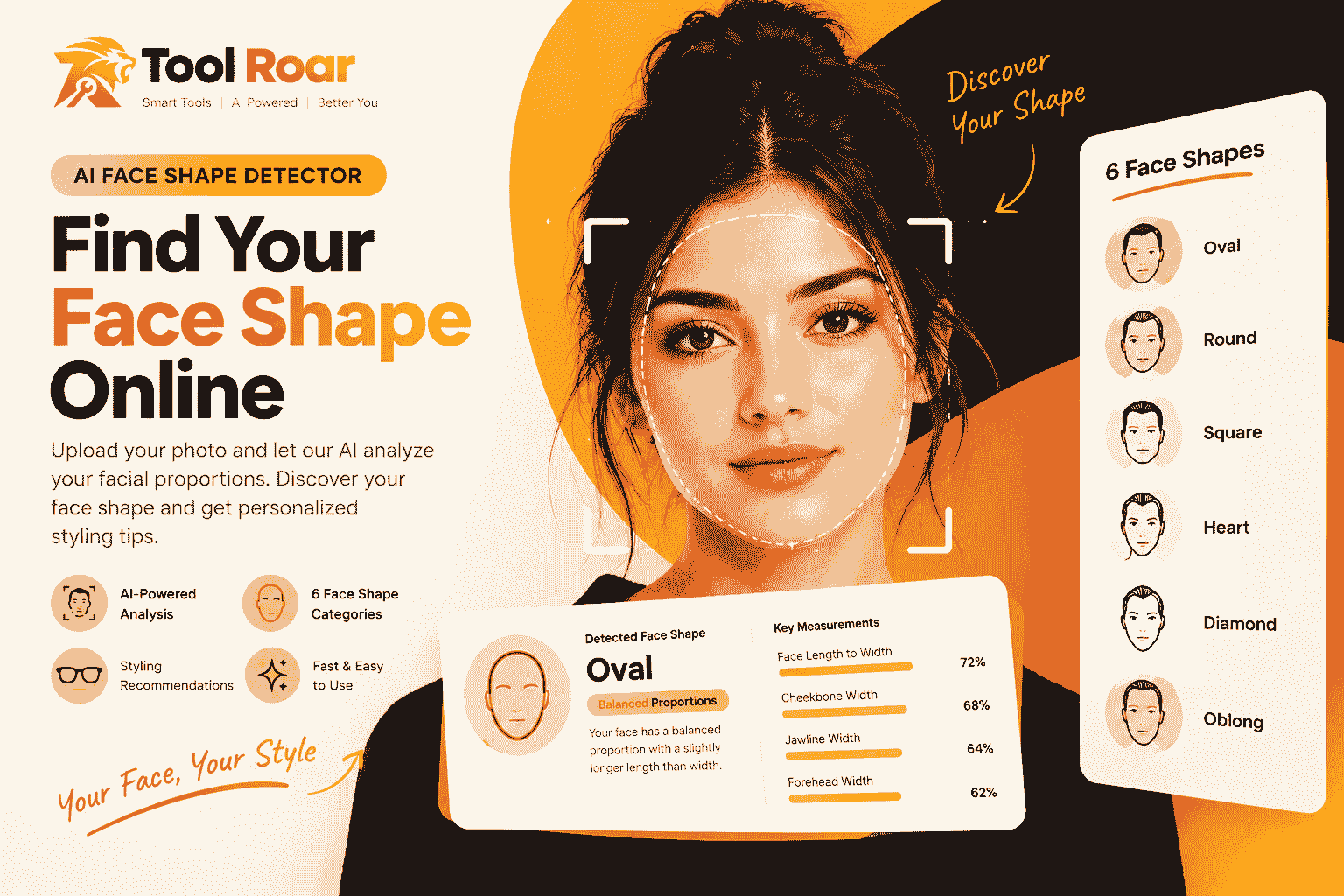
AI Face Shape Detector
Accurately identify whether your face is Oval, Square, Round, Heart, Diamond, or Oblong with tailored haircut and glasses advice.
Upload a straight-on photo with hair off your forehead
Measuring bone ratios & chin angle...
Have you ever looked in the mirror and asked yourself, “What is my face shape?” Most of us have tried guessing whether our face is oval, round, square, heart, diamond, or oblong. But doing it in front of a bathroom mirror is surprisingly tricky. Your hair gets in the way, lighting creates misleading shadows, and many faces naturally share traits from two different shapes.
Knowing your facial structure makes styling much easier. It takes the trial-and-error out of picking your next haircut, choosing the right glasses, trimming your beard, or applying makeup.
Instead of guessing, an AI Face Shape Detector gives you a estimated face-shape result. By uploading a clear photo, Tool Roar’s AI Face Shape Detector scans your facial proportions and highlights the category that fits you best.
Table of Contents
What Is an AI Face Shape Detector?
An AI Face Shape Detector is an online tool that figures out your face shape from an everyday picture. Instead of asking you to measure your forehead and jaw with a tape measure, this face shape detector online scans key points on your face and does the math for you.
Think of it as a smart face shape calculator. It looks at simple visual markers like how wide your cheekbones are compared to your jawline, or how long your face is compared to its width and matches those measurements against six standard categories:
- Oval: Nicely balanced, slightly longer than it is wide, with a softly rounded jawline.
- Round: Equal length and width with soft, curved cheeks and no sharp corners.
- Square: A strong, defined jawline with nearly equal width across the forehead, cheeks, and jaw.
- Heart: A wider forehead that tapers down into a delicate, pointed chin.
- Diamond: Wide, high cheekbones with a narrower forehead and a narrow chin.
- Oblong: A noticeably longer face with relatively straight, even sides.
Using an AI face shape finder is not about fitting you into a rigid box. It simply gives you a clear baseline so you can pick styles that naturally look good on you.
How Does Tool Roar’s Face Shape Detector Work?
You don’t need a degree in facial geometry to understand how the tool works. Behind the scenes, the detector follows three straightforward steps:
1. Finding Facial Landmarks
When you upload your photo, the tool automatically spots key points on your face. It marks the edges of your hairline, the widest parts of your cheekbones, the corners of your jaw, and the bottom of your chin.
2. Measuring Proportions
Next, the tool compares these points to calculate simple ratios:
- Face Length vs. Width: Is your face significantly longer than it is wide, or are they almost the same?
- Forehead vs. Cheekbones: Is your forehead wider than your cheeks (like a heart shape), or narrower (like a diamond shape)?
- Cheekbones vs. Jawline: Does your jaw taper down into a softer chin, or does it stay wide and squared off?
- Chin Shape: Does your chin curve smoothly, come to a point, or form a flat, angular line?
3. Matching with Predefined Rules
The tool takes all these measurements together and runs them through built-in classification rules. If your face length and width are almost equal and your jawline is soft, it identifies your shape as round. If your jaw is wide and sharp with similar proportions across your forehead, it classifies you as square.
How to Use the AI Face Shape Detector (Step-by-Step)
Taking this face shape test on Tool Roar takes less than a minute. Here is how to do it:
Step 1: Open the Tool
Head over to the [AI Face Shape Detector on Tool Roar] in your phone or computer browser.
Step 2: Pick a Good Photo
For accurate results, pick a photo where your face is easy to see:
- Look straight at the camera: Keep your head level—don’t tilt up, down, or sideways.
- Tuck your hair back: Make sure your forehead, cheekbones, and jaw are visible.
- Use natural lighting: Stand facing a window or a well-lit room so there are no heavy shadows across your jaw.
- Skip beauty filters: Filters often smooth your chin or slim your cheeks, which can throw off the tool.
Step 3: Run the Scan
Click the upload button, select your photo, and let the tool analyze your image.
Step 4: Check Your Result
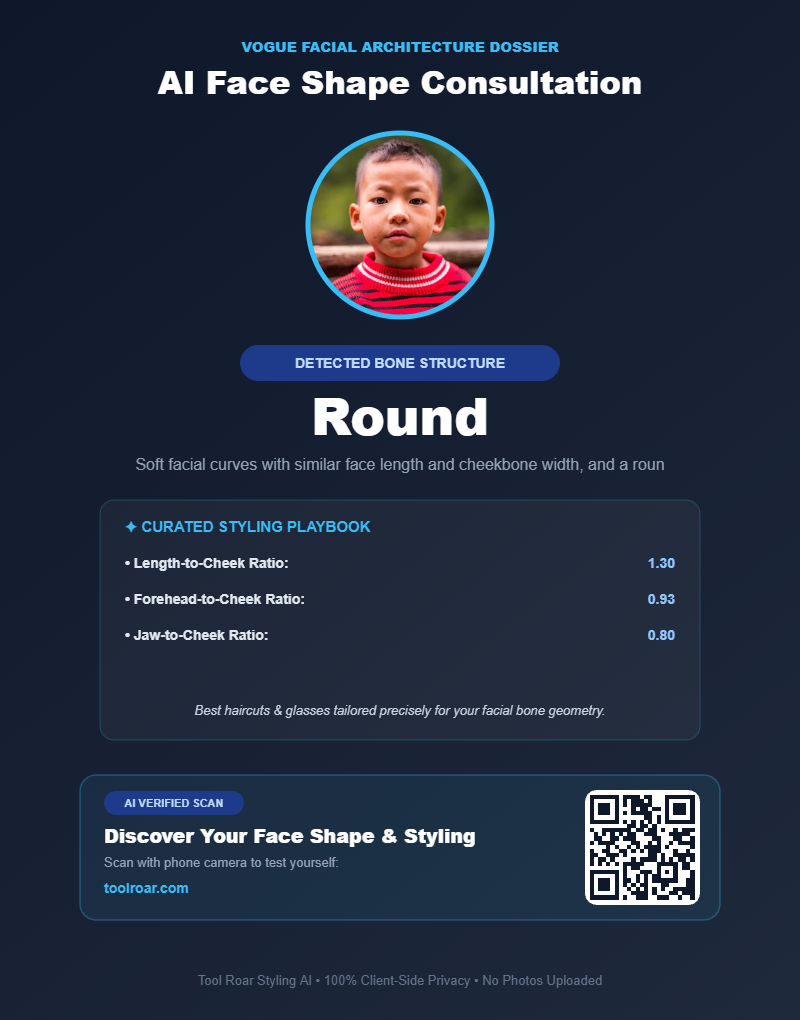
Within a few seconds, the tool shows your face shape category along with key notes on your proportions and you can save scoreboard from the tool:
Step 5: Explore Your Best Styles
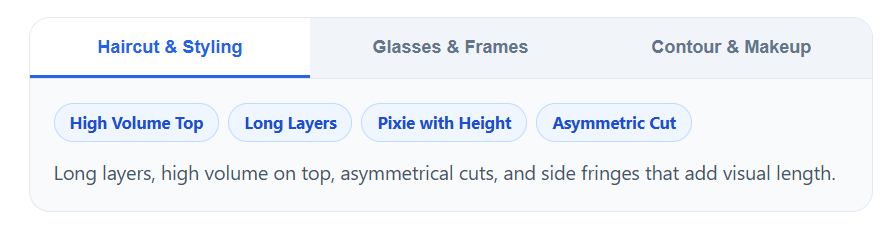
The tool on the platform will suggest you following three styles according to your face shape:
- Haircut and Styling
- Glasses and Frames
- Contour an Makeup
The 6 Main Face Shapes and How to Style Them
Once you find your face shape, here is what it means and how you can use it to upgrade your look:
1. Oval Face Shape
- What it looks like: Balanced proportions. The face is slightly longer than it is wide, and the jawline tapers gently into a rounded chin.
- Haircuts: Almost everything works. Classic side parts, textured crops, buzz cuts, bobs, and long layers all look great.
- Glasses: Rectangular, square, or slightly geometric frames add a nice contrast to soft curves.
- Beard & Makeup: A clean shave or short, evenly trimmed stubble highlights your natural balance.
2. Round Face Shape
- What it looks like: The length and width of your face are roughly equal. Cheeks are the widest feature, and the jawline has a smooth curve.
- Haircuts: Styles with volume on top (like pompadours, messy quiffs, or high fades) add height and make the face look longer.
- Glasses: Angular, rectangular, or deep square frames give your face more definition.
- Beard & Makeup: Goatees or beards kept longer at the chin and trimmed short on the sides help create a more structured look.
3. Square Face Shape
- What it looks like: A prominent, chiselled jawline with forehead, cheekbones, and jaw having roughly the same width.
- Haircuts: Textured cuts, crew cuts, messy crops, and side parts soften strong jaw angles without hiding them.
- Glasses: Round, oval, or thin wire frames soften sharp facial corners.
- Beard & Makeup: Light stubble or a rounded beard keeps your jawline defined without looking overly heavy.
4. Heart Face Shape
- What it looks like: A wider forehead and fuller cheeks that narrow down to a defined, pointed chin.
- Haircuts: Mid-length styles, side-swept bangs, textured fringes, or chin-length cuts that add fullness near the lower half of your face.
- Glasses: Oval frames, light-colored rims, or bottom-heavy frames balance out a wider forehead.
- Beard & Makeup: A full, rounded beard adds great volume around a slimmer jawline and chin.
5. Diamond Face Shape
- What it looks like: High, prominent cheekbones paired with a narrower forehead and a narrow, pointed chin.
- Haircuts: Textured fringes, swept-back quiffs, and medium-length layered cuts that fill out the forehead area.
- Glasses: Browline (clubmaster), cat-eye, or oval frames complement high cheekbones without overwhelming them.
- Beard & Makeup: A short, boxed beard or evenly spread facial hair helps widen a narrow chin.
6. Oblong Face Shape
- What it looks like: The face is noticeably longer than it is wide, with fairly uniform width from forehead down to jaw.
- Haircuts: Cuts with side volume, fringe haircuts, or classic scissor cuts. Avoid extra height on top, which makes the face look even longer.
- Glasses: Tall, wide, or oversized frames visually break up the vertical length of your face.
- Beard & Makeup: Thicker sideburns and fuller cheeks with a closely trimmed chin help widen your facial profile.
Tips for Getting the Most Accurate Result
To get the best reading from the detector, keep these quick tips in mind:
- Step back a little: Close-up phone selfies can distort your features (making your nose look bigger and your jaw narrower). Hold your phone at arm’s length or use a self-timer from 3 to 4 feet away.
- Keep a relaxed face: Smiling pushes your cheeks up and widens them. Keep a neutral, relaxed expression while taking your photo.
- Clear the edges: If you have long hair, tie it back so the tool can easily see where your jaw and hairline actually start.
Why Real Faces Don’t Always Fit One Category
It is completely normal if your result feels close to two different shapes. Human faces are not built from cookie-cutters. You might have an oval face shape overall, but with a sharper square jaw. Or you might have the cheekbones of a diamond face with the rounded chin of an oval.
The AI detector identifies the category that matches your measurements most closely. Treat the result as a helpful guide and a creative starting point not a strict set of rules you have to follow.
Frequently Asked Questions
How can I find my face shape online for free?
You can use Tool Roar’s AI Face Shape Detector. Simply upload a front-facing photo taken in clear light, and the tool evaluates your facial proportions to show you your shape in seconds.
What are the six main face shapes?
The six most common face shapes are oval, round, square, heart, diamond, and oblong. While these are the standard categories, many people have a natural blend of two shapes.
Can I determine my face shape with a selfie?
Yes. Just make sure the selfie is taken straight-on at eye level, without beauty filters, and from roughly arm’s length away to avoid lens distortion.
Can my face shape change over time?
Your bone structure stays the same once you are fully grown, but changes in body weight, aging, and facial hair can alter how round or angular your face looks in photos.
Which face shape is the most attractive?
No single face shape is “better” or more attractive than another. Personal style is all about balance choosing haircuts, frames, and styling techniques that highlight the features you already have.
Why does my photo look different from what I see in the mirror?
Mirrors show a moving, three-dimensional reflection, while photos capture a flat 2D snapshot. Camera lenses, angles, and shadows can all make your face appear slightly different on screen than it does in your bathroom mirror.
Also Check our other beauty tool which is AI Golden Ratio Face Calculator.
2 thoughts on “AI Face Shape Detector – Find Your Face Shape Online – 2026”